Buying your first cordless drill should be simple. But walk into any hardware store or browse online and you are immediately confronted with dozens of options, confusing spec sheets, and marketing language designed to make every drill sound essential.
Torque ratings. RPM. Clutch settings. Brushless motors. Ah ratings. It is a lot to process when all you want to do is hang some shelves or assemble a piece of furniture.
This guide cuts through everything and explains exactly what matters, what does not, and which drill is the right choice for your specific situation — in plain language, without the jargon.
Do You Actually Need a Drill or Something Else?
Before spending any money, make sure you are buying the right tool. Many beginners buy a drill when they actually need an impact driver, or vice versa.
| If you need to… | Get this |
|---|---|
| Drill holes in wood, metal, or tile | Cordless drill |
| Drive screws occasionally into softwood or drywall | Cordless drill |
| Drive lots of long screws quickly into hardwood | Impact driver |
| Drill into concrete or masonry | Hammer drill |
| General home DIY — a bit of everything | Cordless drill |
For a full comparison of drills and impact drivers, read our Impact Driver vs Drill guide. For now, let us focus on choosing the right cordless drill.
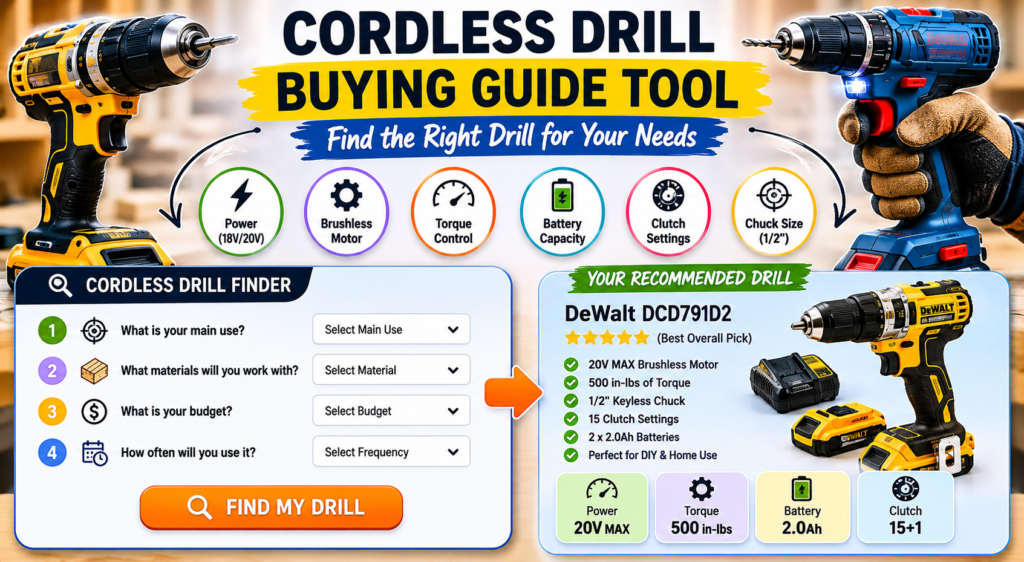
The Six Things That Actually Matter When Buying a Drill
1. Voltage (18V / 20V)
For a standard cordless drill, 18V or 20V MAX is the right choice for the vast majority of users. This voltage tier provides enough power for all typical home and professional tasks while offering the largest battery ecosystem and widest tool selection.
12V drills are lighter and cheaper but less powerful — suitable only for very light tasks. Anything above 20V is professional territory and not necessary for most buyers.
The 18V vs 20V debate is actually a non-issue — they are electrically identical. Read our 20V vs 18V Battery guide for a full explanation.
2. Brushless vs Brushed Motor
If your budget allows, always choose brushless. A brushless motor delivers more runtime per charge, runs cooler, lasts longer, and adjusts power output intelligently based on the task.
Brushed motors are not bad — they are just less efficient. For occasional light use the difference is modest. For regular use the runtime and lifespan advantage of brushless is significant and worth paying for.
Read our Brushless vs Brushed Motor guide for a detailed breakdown of the differences.
3. Torque
Torque is the rotational force the drill applies. For home DIY tasks — hanging shelves, assembling furniture, drilling through softwood — 300 to 500 in-lbs is more than enough. For drilling large holes or driving screws into hardwood regularly, 600 to 800 in-lbs is more appropriate.
More torque is not always better. Too much torque without proper clutch control strips screws and splits wood. What matters more than maximum torque is having a good clutch system with enough settings to control how much torque is applied.
4. Clutch Settings
The clutch is the ring behind the chuck with numbered settings. It controls how much torque the drill applies before disengaging. A lower number means less torque — good for delicate screws. A higher number means more torque — good for driving into harder materials.
More clutch settings give you finer control. Look for at least 15 settings. Premium drills offer 21 to 25 settings. The drill mode (marked with a drill bit icon) bypasses the clutch entirely for drilling holes.
5. Battery Capacity (Ah Rating)
The Ah rating tells you how much energy the battery stores and therefore how long it runs between charges. Higher Ah means longer runtime but also more weight.
| Battery capacity | Best for | Runtime |
|---|---|---|
| 1.5Ah | Very light occasional use | 15–20 min moderate use |
| 2Ah | Regular home DIY | 20–30 min moderate use |
| 4Ah | Frequent DIY and light pro use | 40–60 min moderate use |
| 5Ah+ | Professional daily use | 50–75+ min moderate use |
6. Chuck Size
The chuck is the part that holds the drill bit. A 1/2 inch chuck accepts the widest range of bit sizes and is standard on most quality drills. A 3/8 inch chuck is smaller and lighter but limits the maximum bit size you can use. For most buyers, 1/2 inch is the right choice.
Understanding the Spec Sheet
Here is what a typical drill spec sheet looks like and what each number actually means in practice:
| Specification | What it means | Does it matter? |
|---|---|---|
| Voltage (20V) | Battery platform | Yes — choose 18/20V |
| Max torque (in-lbs) | Maximum rotational force | Somewhat — 400+ is fine for most |
| Max RPM | Maximum rotation speed | Less important than torque |
| Clutch settings | Torque control range | Yes — more is better |
| Speed settings | Gear modes (usually 2) | Yes — 2 speed is standard |
| Chuck size | Max bit shank diameter | Yes — choose 1/2 inch |
| Weight | Tool weight without battery | Yes — lighter is better for long use |
| Motor type | Brushed or brushless | Yes — brushless is better |
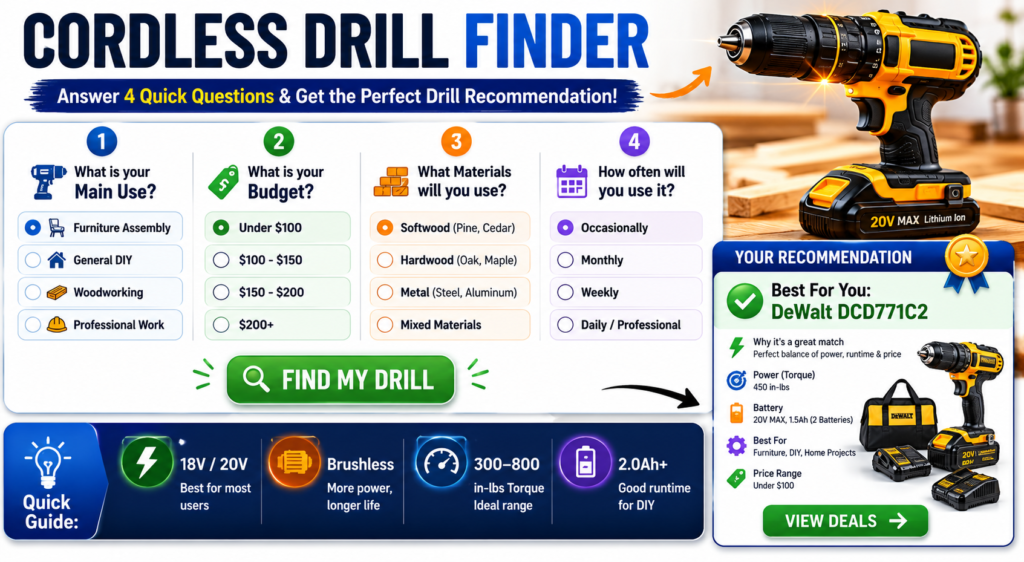
the following tool will help you to decide the best fit for you.
🔧 Cordless Drill Finder
Best Cordless Drills by Budget in 2026
| Budget | Best pick | Why |
|---|---|---|
| Under $100 | DeWalt DCD771 kit | Best value complete kit for light home use |
| $100–$150 | Ryobi PSBDD01B | Budget brushless with 24 clutch settings |
| $150–$200 | Makita XFD131 kit | Best brushless for precision and finish work |
| $150–$200 | DeWalt DCD791 kit | Best brushless overall — high torque and runtime |
| $200+ | DeWalt DCD999 | Professional grade — 3 speeds, FLEXVOLT compatible |
For detailed reviews of specific models mentioned above, read our DeWalt DCD771 Review, our Makita XFD131 Review, and our full DeWalt 20V Max Drill guide. For a full brand comparison, read our DeWalt vs Makita Drills comparison.
Kit vs Tool Only — Which Should You Buy?
Most drills are sold two ways — as a bare tool only, or as a kit that includes battery and charger.
Buy the kit if: You are new to the brand and do not own compatible batteries. Kits almost always offer better value than buying the tool and batteries separately.
Buy tool only if: You already own batteries from the same brand. Adding a tool to an existing battery platform is the most cost-effective way to expand your toolkit.
According to Consumer Reports, buyers who commit to a single battery platform and expand within it save an average of 30 to 40 percent on total tool costs compared to buyers who mix brands.
Pros and Cons of Buying a Cordless Drill
| ✅ Why a cordless drill is worth buying * Handles drilling and driving in one tool * Works anywhere without power outlet * Essential for almost every home task * Batteries shared across multiple tools * Modern brushless models last a decade+ | ❌ Things to watch out for * Battery cost adds to upfront price * Wrong model for your needs wastes money * Cheap unknown brands fail quickly * Batteries degrade after 3–5 years * Not ideal for concrete without hammer mode |
5 Tips Before You Buy
- Decide on your brand ecosystem first. Once you buy batteries, switching brands is expensive. Think about what other tools you might add in future before committing.
- Buy from a brand with local service. DeWalt, Makita, and Milwaukee all have service centres in most major cities. Cheap no-name drills have no support when something goes wrong.
- Do not buy more drill than you need. A $99 brushed DeWalt handles 90 percent of home tasks perfectly. Spending $200 on a professional drill for hanging pictures is unnecessary.
- Check what is included. Some kits include two batteries, some include one. Some include a carry case. Compare what is actually in the box before comparing prices.
- Read reviews from actual users. Spec sheets are written by marketing teams. User reviews from verified purchasers give you a realistic picture of real-world performance and durability.
Frequently Asked Questions
What is the best cordless drill for a beginner?
The DeWalt DCD771 kit is the most recommended starting point for beginners. It comes with two batteries and a charger for around $99, is backed by DeWalt’s extensive service network, and handles all typical home tasks without complexity. For beginners who want brushless technology from the start, the Makita XFD131 kit at around $169 is the next best option.
How much torque do I need for home use?
For typical home tasks — hanging shelves, assembling furniture, drilling through softwood and drywall — 300 to 500 in-lbs of torque is more than sufficient. You only need 600 in-lbs or above for regular drilling into hardwood, driving long screws into dense materials, or professional construction work.
Is a 12V drill powerful enough?
For very light tasks — driving small screws, drilling pilot holes, assembling flat-pack furniture — a 12V drill is adequate. For anything more demanding, the power limitation becomes noticeable quickly. For most buyers, the extra cost of an 18V/20V drill is worth it for the significant performance improvement and much larger range of compatible accessories and batteries.
How long does a cordless drill battery last?
A quality lithium-ion battery from a reputable brand typically lasts 3 to 5 years of regular use before capacity degrades noticeably. The number of charge cycles, storage conditions, and temperature exposure all affect lifespan. Storing batteries at partial charge (around 50 percent) in a cool, dry place extends their life significantly. For more on battery selection, read our DeWalt 5Ah vs 2Ah Battery guide.
Should I buy a hammer drill instead of a regular drill?
Only if you regularly need to drill into concrete, brick, or masonry. A hammer drill adds a percussive hammering action that breaks up hard materials as it drills. For wood, metal, tile, and drywall, a standard drill is more than adequate and handles these materials better than a hammer drill. If you only occasionally need to drill into masonry, a standard drill with a masonry bit is often sufficient for small holes.
What drill bits do I need for a new cordless drill?
A basic starter set covering the most common sizes in HSS (high speed steel) for metal and wood, plus a few masonry bits, handles the majority of home tasks. Look for a set that includes sizes from 1mm to 10mm (or 1/16 to 3/8 inch) plus a selection of screwdriver bits. A 20 to 40 piece combination set from a reputable brand like DeWalt or Makita costs $15 to $30 and covers everything most beginners need.
Can I use my cordless drill to mix paint or mortar?
Yes, with a paddle mixer attachment. Most 1/2 inch chuck drills accept standard paddle mixer attachments. Use the low speed setting and avoid running the drill continuously for more than a few minutes at a time to prevent overheating. For large volume mixing tasks, a dedicated mixing drill with a more powerful motor and better thermal management is a worthwhile investment.